For Enquiry: 93450 45466

MS Office Course in Chennai

with Placement Support till you get your Dream Job offer!
4377 Ratings
Read Reviews
Google 4.9 ★

Ready to master essential office skills and boost your career prospects? Enroll in the MS Office Course in Chennai at FITA Academy, recognized as the No. 1 MS Office Training Institute in Chennai, and gain hands-on experience guided by industry experts.

93450 45466
6,812
Students Placed Last Year
3,000+
Hiring Partners
REAL-TIME
Industry Experts as Trainers
FREE
Interview Clearing Workshops

MS Office classes in Chennai at FITA Academy cover essential applications such as MS Word, MS Excel, MS PowerPoint, and MS Outlook. Learners develop practical skills in creating documents, managing spreadsheets, analyzing data, preparing presentations, and handling professional emails. The course also introduces useful AI-powered features that help simplify routine office tasks and improve productivity. Through hands-on exercises, practical assignments, and real-world examples, learners understand how to use these applications in everyday workplace situations. With experienced trainer guidance, flexible batch options, a course completion certificate, and 100% placement assistance, FITA Academy helps students, fresh graduates, and working professionals build valuable MS Office skills.

Real Students · Real Results

Our Students Success Stories

Career transformations made possible by FITA

Ashish Ashish
From Setback to Fresh Start
Placed at

After leaving a stressful job and facing income loss, life felt uncertain. He focused on gaining skills and secured a stable, promising career in IT.

Purushothaman Purushothaman
From Doubt to First Success
Placed at

Unsure about switching careers, he took the first step. With effort and guidance, he cleared his first interview and moved forward on a better path.

Sharmitha Sharmitha
Success Before Graduation
Placed at

While others waited, she acted early. She completed a technical course alongside her degree and secured her future before stepping out of college.

Sivanadhapandiyan Sivanadhapandiyan
From Struggle to 8 LPA
Placed at

Frustrated with a low salary and limited growth, he took control of his career. By mastering DevOps, he transformed challenges into a rewarding opportunity and built a brighter future.

Transform Your Career with Industry-Ready Skills from FITA

Get trained by experts, work on real-time projects, and secure high-paying job opportunities with dedicated placement support.

Why Learn at FITA Academy?

Empowering students across various fields, we help you enhance your skills and provide unlimited placement support until you land your dream job. Ready to learn and make an impact?

+91 93450 45466
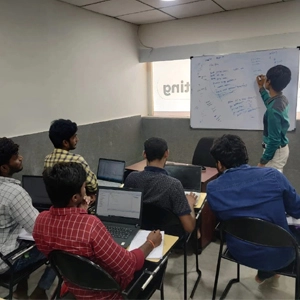
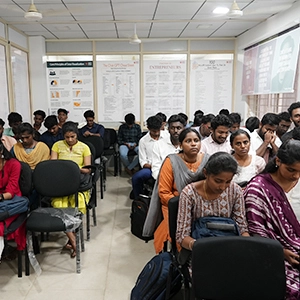
MS Office Course in Chennai Live Classroom Sessions
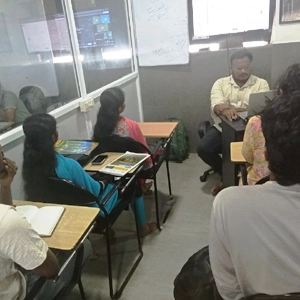
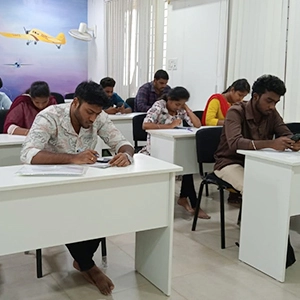
MS Office Course in Chennai Hands-on Projects
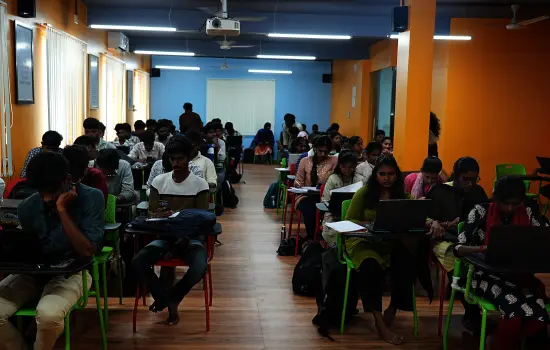
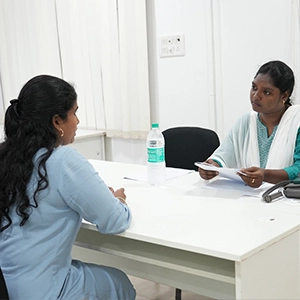
MS Office Course in Chennai Free Placement Sessions

Free Interview Clearing Workshops

We help you prepare for job placement with mock interviews, aptitude practice, and HR round guidance, so you feel confident and job-ready.

100% Free

Hands-on Capstone Projects

Work on real-world projects using live data and industry tools. By the end of the course, you’ll have a solid portfolio that you can confidently showcase to recruiters.

Portfolio Ready

Real-time Industry Experts as Trainers

Our trainers are working professionals with 8–15 years of experience. They focus on practical knowledge, not just theory, so you learn what’s actually used in the industry today.

Industry Certified

Free Resume Preparation

Get help creating a strong, professional resume that highlights your skills the right way. We make sure it’s a clear, well-structured, and ATS-friendly resume.

ATS Optimised
Course Highlights

Why MS Office Course in Chennai
at FITA Academy?

Learn to work with essential MS Office applications, including Word, Excel, PowerPoint, and Outlook, through practical sessions.

Understand how to create documents, organize data, prepare spreadsheets, and design presentations for everyday workplace tasks.

Get guidance from experienced trainers who explain features and functions using simple examples and practical exercises.

Practice commonly used Excel functions, formulas, charts, and data organisation techniques to improve your spreadsheet skills.

Work on assignments that help you apply MS Office tools to office-related tasks and real-world situations.

MS Office Training Fees in Chennai are affordable, making quality training accessible to learners.

Regular practice and revision sessions help you become more comfortable using different MS Office applications.

Small batches of 5-6 students allow better interaction with trainers and individual attention during sessions.

Choose weekday or weekend batches based on your availability.

Get a course completion certificate along with placement assistance, including resume preparation, interview tips, and access to opportunities through 3,000+ hiring companies.

Ready to start your dream career?

Join thousands of students who've already transformed their careers with FITA Academy.

Enroll Today

Upcoming Batches

Flexible Timings Available Weekday & Weekend batches to suit your schedule
Start Date 19-11-2026
Weekdays
Schedule Thursday(Monday - Friday)
Start Date 21-11-2026
Weekend
Schedule Saturday (Saturday - Sunday)
Start Date 23-11-2026
Weekdays
Schedule Monday (Monday - Friday)
Start Date 26-11-2026
Weekdays
Schedule Thursday (Monday - Friday)

Can't find a suitable batch time?

We'll schedule a batch just for you — at your preferred time and pace.

Classroom
  • Get trained by Industry Experts via Classroom Training at any of the FITA Academy branches near you
  • Why Wait? Jump Start your Career by taking the MS Office Course in Chennai!
Online
  • Take-up Instructor-led Live Online Training. Get the Recorded Videos of each session.
  • Travelling is a Constraint? Jump Start your Career by taking the MS Office Course Online!

MS Office Course Objectives

  • Understand the fundamentals of Microsoft Office and learn how its applications support everyday office tasks and business activities.
  • Create, format, and edit professional documents using Microsoft Word, including tables, page layouts, headers, footers, mail merge, and document formatting.
  • Learn how to use Microsoft Excel to make spreadsheets. You will learn about formulas, functions, sorting and filtering data, charts, PivotTables, and basic data analysis.
  • With Microsoft PowerPoint’s slide layouts, themes, animations, transitions, charts, and multimedia features, you can make presentations that people will want to watch.
  • Microsoft Outlook makes it easy to keep track of emails, calendars, meetings, and contacts.
  • Use tables, templates, and structured documents to organize and present information more clearly and quickly.
  • Check out the useful features of Microsoft 365 apps, like working together, sharing files, storing them in the cloud, and editing them in real time.
  • Use what you know about MS Office to do useful things like making reports, managing data, giving slideshows, writing business letters, and creating office documents.
  • Develop your confidence in using Microsoft Office tools for schoolwork, work-related tasks, and business activities at work.

MS Office Course Trainer Profile

  • The trainers for the MS Office classes in Chennai at FITA Academy are experienced professionals with practical knowledge of Microsoft Office applications and their use in everyday business tasks.
  • Trainers have strong expertise in MS Word, MS Excel, MS PowerPoint, and MS Outlook, helping learners gain practical knowledge of the tools and capabilities offered by each application.
  • They explain concepts through simple examples and step-by-step demonstrations, making it easier for beginners and working professionals to follow the lessons.
  • Training sessions include practical tasks and exercises like formatting documents, managing spreadsheets, analyzing data, making reports, and designing presentations.
  • Training instructors help students get better at using MS Office tools by giving them one-on-one attention, regular practice sessions, and interview questions and answers
  • Learners also get help with practical assignments, filling out resumes, and preparing for interviews so they can use their MS Office skills in the real world.

Quick Enquiry

Please wait while submission is in progress...

100% Placement Support

Learn at FITA Academy & Get Your

Dream IT Job in 60 Days

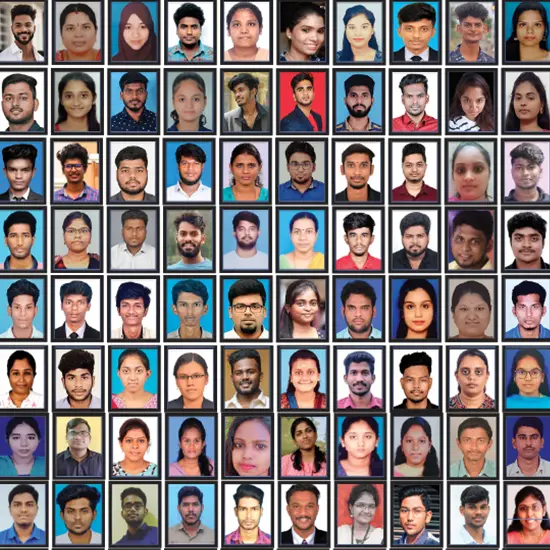
Join 6,812 successful students who transformed their careers with our industry-expert training last year.

MS Office Course in Chennai

Student Success Story of MS Office Course in Chennai

Meena had completed her higher secondary education and was helping her aunt run a small tailoring business in Chennai. She often struggled with maintaining customer records, preparing bills, and keeping track of orders. Wanting to manage these tasks better and find an office job, she decided to join the MS Office course at FITA Academy.

She learned how to use MS Word to prepare documents, Excel to keep records and work with data, and PowerPoint to make presentations during the training. The trainers used simple examples to explain each subject and gave her plenty of time to practice. She got better at using the tools by herself over time.

Meena took her practical sessions seriously and regularly practiced the tasks covered in class. She also received guidance on resume preparation and interview skills, which helped her get ready for job opportunities.

After completing the course, she secured a job as an Office Assistant in a private company. She was happy that the skills she had learned helped her move beyond her family business and start working towards an independent career. Her journey encouraged her to keep learning and take up new responsibilities with confidence.

Key Features

FITA Academy empowers individuals with industry-relevant skills through expert-led training, transforming careers with hands-on experience.

MS Office Course in Chennai

Expert Trainers

Learn from industry professionals with hands-on experience.

MS Office Course in Chennai

Real-Time Projects

Gain practical exposure by working on live projects.

MS Office Course in Chennai

Certification

Get certified from FITA Academy and become job-ready.

MS Office Course in Chennai

Affordable Fees

High-quality courses available at a low budget.

MS Office Course in Chennai

Flexible Learning

Choose online/classroom, timings, and learning pace.

MS Office Course in Chennai

Placement Support

Access 3000+ companies for career opportunities.

Upskill at FITA Academy and Get Your Dream Job in 60 days!

MS Office Course in Chennai
Certification

Why Learn MS Office Course in Chennai
at FITA Academy?

Live Capstone Projects
Real time Industry Experts as Trainers
Placement Support till you get your Dream Job offer!
Free Interview Clearing Workshops
Free Resume Preparation & Aptitude Workshops
MS Office Course in Chennai Certification

MS Office Certification Training in Chennai

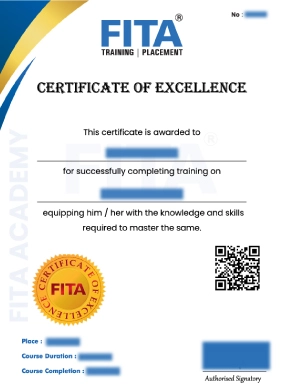
The MS Office Course in Chennai at FITA Academy provides a course completion certificate that acknowledges the concepts learned and hands-on experience acquired throughout the course. The course goes over important programs like MS Word, MS Outlook, MS Excel, and MS PowerPoint. Learners get practice making documents, managing spreadsheets, putting together presentations, using formulas, sorting data, and doing other common office tasks. They can learn how to use these programs in business, school, and government settings by doing hands-on activities.

Benefits of MS Office Certification

  • Validates MS Office Skills: Demonstrates your understanding of commonly used Microsoft Office applications and their features.
  • Practical Experience: Reflects the hands-on learning gained through document creation, spreadsheet exercises, and presentation tasks.
  • Resume Enhancement: Adds a relevant credential to your profile when applying for roles that require computer and office application skills.
  • Workplace Readiness: Builds familiarity with tools used for documentation, data management, communication, and reporting.
  • Improved Productivity: Helps you complete routine office tasks more efficiently using appropriate MS Office features.
  • Career Foundation: Provides a useful base for learning advanced office applications and developing broader computer skills.

To help students feel confident using MS Office tools, the training includes hands-on tasks and exercises that are based on real-life situations. The course completion certificate shows what you learned and how you used what you learned in the program. It can be used in a professional profile to show that you have the skills you need.

MS Office and Advanced Excel

People use MS Excel all the time to organize data, do calculations, look at records, and make reports. If you want to learn more about these spreadsheet skills, you can look into the Advanced Excel Course. It goes over more complex functions, data analysis methods, PivotTables, and reporting tools.

💬

Have Queries?

Talk to our Career Counselor for more Guidance on picking the right Career for you!

Placement Session & Job Opportunities

After completing MS Office Course in Chennai

MS Office Course in Chennai with Placement Support

MS Office skills are widely used in administrative, finance, sales, HR, education, and business operations. The MS Office Course in Chennai at FITA Academy helps learners develop practical knowledge of Microsoft Word, Excel, PowerPoint, and other commonly used Office applications. The training covers document preparation, spreadsheet management, data organisation, formulas, charts, presentations, and everyday office tasks through practical exercises.

“100% placement assistance is provided to learners until they land their dream job.”

IT services, banking, healthcare, manufacturing, retail, and educational organizations in Chennai all use MS Office programs to run their daily businesses. Report writers, record goalkeepers, data organizers, presentation makers, and people who are good at handling routine paperwork are what employers want. Therefore, knowing how to use MS Office can help you get entry-level jobs in many fields.

FITA Academy provides placement assistance through resume preparation, interview guidance, and support in identifying relevant job openings. Learners can also receive guidance on presenting their practical skills and MS Office knowledge during job interviews.

Career Opportunities After MS Office Training in Chennai

After completing the MS Office Training in Chennai with placement, learners can explore entry-level roles based on their educational background, computer knowledge, and practical skills. Common job opportunities include:

  • MS Office Executive: Handles documents, spreadsheets, presentations, and routine office-related tasks using MS Office applications.
  • MIS Executive: Maintains business data, prepares Excel reports, organizes information, and supports management reporting.
  • Data Entry Operator: Enters, updates, checks, and maintains records in spreadsheets and other office systems.
  • Administrative Assistant: Manages documentation, schedules, correspondence, reports, and general administrative activities.
  • Office Coordinator: Supports daily office operations, maintains records, prepares reports, and coordinates with different departments.
  • Accounts Assistant: Uses Excel and other office tools to maintain financial records, organize transaction details, and prepare basic reports.
  • HR Assistant: Maintains employee records, prepares HR documents, organizes information, and supports routine HR activities.

These roles involve preparing documents, managing spreadsheets, creating presentations, maintaining records, and sharing information across teams. Strong Excel skills can be particularly useful for reporting, data organisation, calculations, and basic business analysis.

Additional Skills for MS Office Professionals

Learners interested in accounting and financial management can explore Tally, which helps manage business transactions, maintain accounts, and generate financial reports.

MS Office Career Growth and Salary

Salary for MS Office-related roles depends on job responsibilities, educational qualifications, Excel proficiency, experience, and the hiring organization. Fresh graduates can start out in jobs like Data Entry Operator, Office Assistant, or Junior MIS Executive. As they gain more experience and skills, they can move up to jobs that require them to report on MIS, do advanced Excel tasks, coordinate administrative tasks, and report on business.

Professionals who strengthen their knowledge of advanced Excel, data analysis, and reporting tools can explore broader opportunities in business operations and reporting. Depending on their skills and experience, learning a program like Power BI can also help them get started in data and reporting jobs.

FITA Academy’s MS Office Training in Chennai combines hands-on training with help finding a job to help students learn important computer skills for the workplace and get ready for relevant job opportunities in many fields.

P

Priya S

I joined the MS Office Course in Chennai to improve my computer skills for office work. The trainer explained Word, Excel, and PowerPoint with simple examples and gave us enough time to practice. The sessions were useful, and I can now handle everyday office tasks with more confidence.

V

Vignesh Kumar

I only knew the basics of MS Office before I started the course. I learned a lot from the Excel sessions on formulas, charts, and Pivot Tables. The teacher was nice, and he or she cleared up all of my questions during the practice sessions.

A

Anitha R

My experience at FITA’s MS Office Academy Chennai was really good. I learned how to create professional documents, prepare presentations, and work with Excel reports through regular exercises. The classes were easy to follow, and the practical approach made learning interesting.

Our Students Work at

MS Office Course in Chennai Reviews
FAQ

Frequently Asked Questions about
MS Office Course in Chennai

Why should I choose FITA Academy for the MS Office Course in Chennai?
  • Learn to work with Microsoft Word, Excel, PowerPoint, and other commonly used Office applications.
  • Practice creating documents, spreadsheets, presentations, and reports.
  • Understand useful Excel functions, formulas, formatting, and data management techniques.
  • MS Office course fees in Chennai are affordable for all learners.
  • Learn from trainers who explain concepts with practical examples.
  • Develop office productivity skills that are useful in different job roles.
  • Explore Corporate Training in Chennai to help employees improve their MS Office proficiency and workplace productivity.
How much experience does FITA Academy have in training?

FITA Academy, established in 2012, has helped over 1,00,000 students and working professionals build skills across various domains. The training approach combines concept explanations with practical sessions to help learners understand and apply their skills.

Who can enroll in the MS Office Coaching Classes in Chennai at FITA Academy?

Students, fresh graduates, job seekers, working professionals, and business owners can enroll in the course. It is suitable for beginners as well as individuals who want to improve their skills in Word, Excel, and PowerPoint for academic or workplace requirements. Learners looking to build analytical skills can explore Data Analytics, which covers working with datasets, analysing information, and presenting insights to support business decisions.

Does the MS Office Course include practical training?

Yes. The course includes hands-on exercises to help learners work with Microsoft Office applications. You can practice document formatting in Word, spreadsheet calculations and data management in Excel, and slide creation in PowerPoint using practical examples.

Do I need prior experience to join the MS Office Training in Chennai?

No prior experience is required to join the training. The course covers the basics of MS Office applications and gradually introduces different features and functions, making it suitable for beginners.

Are weekday and weekend batches available?

Batch options depend on the current training schedule. You can contact the FITA Academy support team to check the available weekday and weekend timings and choose a suitable batch.

How can I enroll in the MS Office classes in Chennai?

You can submit an inquiry through the FITA Academy website or call 93450 45466. The support team will help you with course details, fees, available batches, and the registration process.

What is the fee for the MS Office Course at FITA Academy?

The course fee may vary depending on the training schedule and course details. Contact the support team to get the latest fee structure and information about payment options.

What payment methods does FITA Academy accept?

FITA Academy accepts payments through UPI, cards, and bank transfers. Contact the support team for payment details and enrollment assistance.

Can I attend a compensation class if I miss a session?

If you miss a scheduled session, contact the support team to request a compensation class. The team can help you arrange a suitable session to keep you on track with the course schedule.

Does FITA Academy provide a certificate upon completion of the MS Office course in Chennai?

Yes. Learners who successfully complete the training can receive a course completion certificate from FITA Academy. You can add this certificate to your resume to showcase your MS Office knowledge alongside your other qualifications and skills.

General Q & A

General Q & A about
MS Office Course in Chennai

What is MS Office, and why is it important to learn?

Microsoft Office includes various applications that help users prepare documents, organize information, create presentations, and complete routine workplace activities. Learning these tools at MS office coaching classes in Chennai helps improve workplace productivity. Also, it gets easier to complete common administrative and business activities.

What are the five main applications in Microsoft Office?

The five commonly used Microsoft Office applications are Word, Excel, PowerPoint, Outlook, and Access. Word is used for document creation, Excel for spreadsheets and calculations, PowerPoint for presentations, Outlook for email and scheduling, and Access for database management.

What is the difference between basic and advanced MS Office skills?

Typing and formatting papers, making simple spreadsheets, and putting together presentations are all basic MS Office skills. For advanced skills, you need to know how to use Excel formulas, PivotTables, data analysis tools, mail merge, advanced document formatting, and presentation tools.

Which Microsoft Office application should I learn first?

Microsoft Word is a good starting point for understanding document creation and formatting. After that, learning Excel and PowerPoint can help build skills for managing information, performing calculations, and presenting ideas.

What can I do with Microsoft Word in an office environment?

Microsoft Word helps create and format professional documents such as letters, reports, resumes, notices, and business proposals. Features like tables, page layouts, headers, footers, and mail merge make document preparation easier.

What are the most useful Excel skills for office work?

Useful Excel skills include data entry, cell formatting, formulas, functions, sorting, filtering, charts, and PivotTables. These features help organize information, perform calculations, prepare reports, and analyze data.

How is Microsoft PowerPoint used in the workplace?

PowerPoint is used to make slideshows for business proposals, meetings, training sessions, and discussions about projects. It lets people clearly share information by putting together text, charts, pictures, tables, animations, and other visual elements.

What is Microsoft Outlook used for?

Microsoft Outlook helps users handle email communication and organize personal information. It helps users send and receive emails, manage calendars, schedule meetings, organize contacts, and track tasks.

What is the difference between Microsoft 365 and Microsoft Office?

Microsoft 365 offers Office applications, cloud storage, and additional services through a subscription plan, with features varying based on the selected plan. Microsoft Office is commonly used to refer to the productivity applications such as Word, Excel, and PowerPoint, which may also be available through one-time purchase versions.

Are MS Office Classes in Chennai useful for freshers looking for jobs?

Yes. Learning how to use MS Office can help new employees do common tasks at work, like making presentations, maintaining spreadsheets, writing reports, and keeping track of documents. These skills can help you get started in a lot of administrative, operational, and support jobs.

What practical tasks can I perform after attending MS Office classes in Chennai?

As an administrator, you can format documents, make Excel reports, organize data, do math, design presentations, handle email, and keep records. People who work in office administration and other business-related roles often have to do these things.

Is MS Office still relevant with the growing use of AI tools?

Yes. MS Office remains useful because many organizations rely on Word, Excel, PowerPoint, and Outlook for everyday work. AI features can assist with tasks such as drafting content and analyzing information, but users still need to understand the applications to review, organize, and manage their work effectively.

Can MS Office skills help improve workplace productivity?

Yes. With features like Excel formulas, document templates, mail merge, presenting tools, and email organization, MS Office programs make it easier to do things without having to do them by hand. Regular office tasks can be done faster and better if you know how to use these features.

Is MS Office knowledge enough to get an office job?

Many office jobs require knowledge of MS Office, but employers may also look for communication skills, the ability to solve problems, and information that is specific to the job. Obtaining skills through MS Office classes in Chennai, along with appropriate credentials and work experience, can help you get a job.
MS Office Course in Chennai

Ready to Start Your Career?

Get expert guidance and land your dream job with FITA Academy.

93450 45466
×