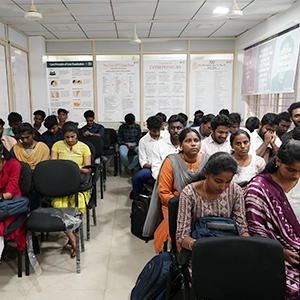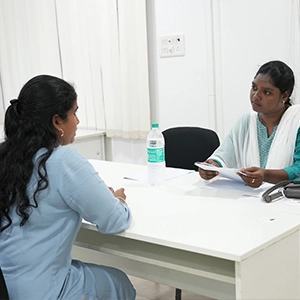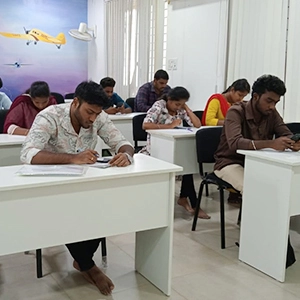


Course Highlights and Why Photoshop Classes In Chennai at FITA Academy?
Upcoming Batches
- 19-03-2026
- Weekdays
- Thursday (Monday - Friday)
- 21-03-2026
- Weekend
- Saturday (Saturday - Sunday)
- 23-03-2026
- Weekdays
- Monday (Monday - Friday)
- 26-03-2026
- Weekdays
- Thursday (Monday - Friday)
Classroom Training
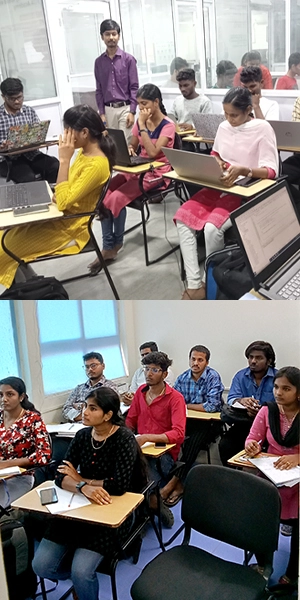
- Get trained by Industry Experts via Classroom Training at any of the FITA branches near you
- Why Wait? Jump Start your Career by taking the Photoshop Classes in Chennai!
Instructor-Led Live Online Training
- Take-up Instructor-led Live Online Training. Get the Recorded Videos of each session.
- Travelling is a Constraint? Jump Start your Career by taking the Photoshop Course Online!
Photoshop Course Objectives
- Gain hands-on expertise in Photoshop, workspace customization, and document management for creative projects.
- Learn to manipulate and enhance both bitmap and vector images with proper size, resolution, and scanning techniques.
- Master color management, painting tools, brushes, and blending techniques for professional graphic design.
- Develop advanced skills in selections, fills, stroking, and layer management for complex compositions used in digital media.
- Work with text, typographic design, and layer effects to integrate text seamlessly into web design projects.
- Explore vector drawing, paths, shapes, channels, and masks for professional image corrections and retouching.
- Create web-ready graphics, GIF animations, rollovers, and print-ready images with consistent color accuracy.
- Apply real-world projects and workflows to gain practical experience and learn AI-powered tools for smarter design workflows.
- Develop the ability to design visuals for Digital Marketing, including social media graphics, web banners, ads, and promotional creatives using Adobe Photoshop.
Syllabus
Basic Acquaintance
- Environment of Photoshop
- Palettes, Palette Well
- Customized Workspace Creation
- Images
- File Browser
- Magnification of Images
- Moving Images
- Document Information View
- Undo and History Palette
- Drawing Guides Display
- Measurements
- Annotations
- Set Preferences
Image Manipulation
- Bitmap Images
- Vector Images
- Size and Resolution settings
- Scanning Images
- New image Creation
- Placing Files
Basics of Color
- Colour Modes, Models
- Colour Mode Conversion
- Colour Differences in Different OS
- Management of Color
- Background, Foreground Colors
- Colour Picker
- Selecting Colours with Color Palette, Eyedropper Tool, and Swatches Palette
Painting Tools
- Brush Tool
- Blending Modes
- Pencil Tool
- Eraser, Magic Eraser, Background Eraser Tools
- Using History, Art History Brush
Brush Settings
- Brushes Palette
- Select Custom Brush Tips, in Brushes Palette
- Set Shape Dynamics, Brush Scattering, Brush Texture, Dual Brushes, Colour Dynamics, Other Dynamics
- Miscellaneous Brush Settings and Clearing
- Customized Brush
- Saving Customized Brush Library
Selections
- Basics
- Pixel Selections
- Marquee, Lasso, Magic Wand Tools
- Colour Range
- Extract Command
- Adjust, Copy, Paste, Save, and Load Selections
Fills and Stroking
- Applying Fills
- Paint Bucket Tool
- Gradient Tool
- Gradient Editor, Patterns, Patternmaker
- Stroking
Layers, Advanced Layers
- Creating Layers and Layer sets
- Stacking, Linking, Locking, Merging, Flattering Layers
- Layer management Tasks
- Layer Styles
- Adjusting and Filling Layers
- Knockouts
Text
- Basics
- Entering, Selecting, and Editing Text
- Type Selection
- Type Layer Effects
- Character Palette
- Spell Check
- Paragraph Palette
Drawing
- Raster and Vector Drawing
- Shape, Pen, and Anchor Point tools
- Shape layers, Options
- Paths Palette and Working with Paths
Channels And Masking
- Channels Palette
- Spot Colours
- Blending Layers and Channels
- Masks
- Alpha Channels
Other Advanced Topics That Are Handled Include:
- Work Area Environment
- Adobe ImageReady
- Using Adobe Bridge
- Photo Corrections
- Retouching and Repair
- Working with Selections
- Links within an Image
- Masks, Channels, Layers
- Correction, Enhancement of Digital Photographs
- Typographic Design
- Advanced Vector Drawing Techniques
- Vector Compositing
- Advanced Layer Techniques
- Links within an Image
- Rollover Web Images
- Animation of GIF Images
- Printing Consistent Colour
Photoshop Course Trainer Profile
- Photoshop Classes in Chennai at FITA Academy are delivered with the right balance of conceptual understanding and practical training on Adobe Photoshop tools and techniques.
- Hands-on sessions focus on developing job-relevant skills, including photo editing, image manipulation, digital illustration, and creative design practices.
- Certified professionals in graphic design and computer design guide learners through the essential features and functionality of Adobe Photoshop.
- Real-time project demonstrations and practical exercises help students understand industry workflows used in professional photo editing and graphic design.
- Exposure to industry best practices during the Photoshop Training in Chennai helps learners build strong creative and technical skills required in the design field.
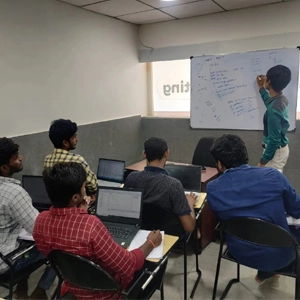
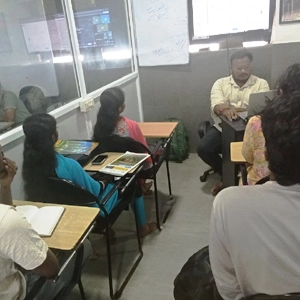
- A small batch size of 5–6 students is maintained to ensure personalized attention, interactive sessions, and better learning outcomes.
- Additional guidance is provided for professional profile development, along with interview preparation support to help students build confidence and career readiness.
Learn at FITA Academy & Get Your
Dream IT Job in 60 Days
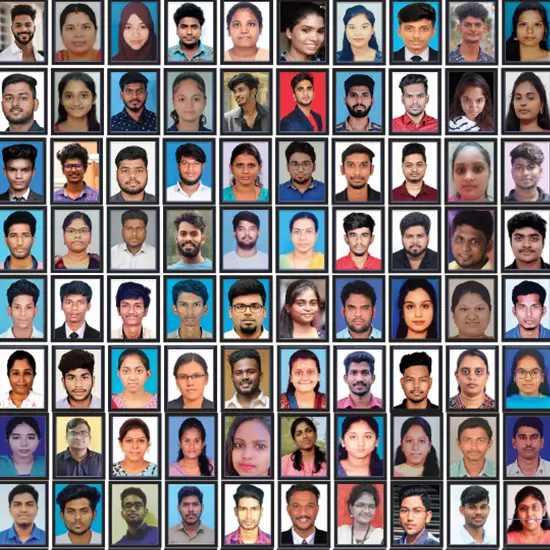
like these Successful Students!
Student Success Story of Photoshop Classes In Chennai
Anjali, an Arts graduate, had always loved creativity but struggled with communication skills. She was working as a fashion consultant, yet the repetitive job and long hours in sales made her unhappy. Determined to build a career that could earn her respect and stability, she decided to join Photoshop Training in Chennai at FITA Academy to turn her passion into a professional skill.
From the first day, Anjali found the classes motivating. The trainers explained each tool and technique clearly using simple language, along with practical projects and hands-on exercises. She practiced diligently on photo editing, retouching, and digital design tasks, which gradually boosted her confidence and honed her creative abilities.
After completing the course, Anjali actively engaged with the placement support at FITA Academy. With guidance on portfolios, mock interviews, and industry-relevant projects, she gained the confidence to attend multiple interviews. Soon, she was offered a position as a Graphic Designer in a reputed MNC, with a salary and recognition that matched her aspirations.
Anjali’s life was transformed completely after the training. From feeling stuck in a stressful sales role, she now works on exciting creative projects, enjoys using her skills to the fullest, and has a clear career path in digital design. She gratefully states that FITA Academy is the best place to learn Photoshop in Chennai.

Key Features
FITA Academy empowers individuals with industry-relevant skills through expert-led training, transforming careers with hands-on experience.
Expert Trainers
Learn from industry professionals with hands-on experience.
Real-Time Projects
Gain practical exposure by working on live projects.
Certification
Get certified from FITA Academy and become job-ready.
Affordable Fees
High-quality courses available at a low budget.
Flexible Learning
Choose online/classroom, timings, and learning pace.
Placement Support
Access 3000+ companies for career opportunities.
Why Learn Photoshop Classes In Chennai at FITA Academy?
Live Capstone Projects
Real time Industry Experts as Trainers
Placement Support till you get your Dream Job offer!
Free Interview Clearing Workshops
Free Resume Preparation & Aptitude Workshops
Photoshop Certification Training in Chennai
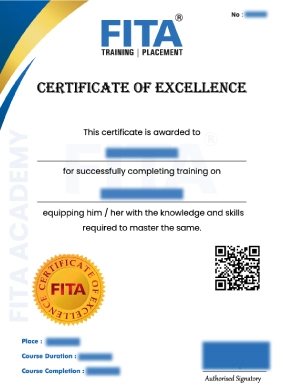
Photoshop Course Certification is valid evidence that the candidate has extensive knowledge of Adobe Photoshop and its applications. With real-time Photoshop project experience and the practical exposure provided at the end of the Photoshop Adobe Course, this certificate confirms that the aspirant has acquired the professional skills required for a Photoshop Professional. Furnishing this Photoshop Course accomplishment Certificate with your resume helps you to gain a good impact with your prospective employer and paves the way to unlock wider career potentials.
Photoshop Certification Course in Chennai at FITA Academy Institute incorporates the in-demand professional skills highly sought after in the industry and helps you gain a competitive edge in current market conditions. Photoshop Training in Chennai at FITA Academy is conducted by certified Photoshop professionals, delivering expert guidance through an exhaustive, industry-aligned course. The Photoshop Mentors at FITA Academy train you exhaustively on the workflow of the Adobe Photoshop tool and its application.
Have Queries?
Talk to our Career Counselor for more Guidance on picking the right Career for you!
Placement Session & Job Opportunities
After completing Photoshop Classes In Chennai


Adobe Photoshop is one of the most widely used image editing software tools globally, empowering millions of designers, photographers, and creative professionals. Its intuitive interface, versatility, and industry-standard features make it a preferred choice for digital content creation, graphic design, and web design. According to industry reports, Photoshop holds a dominant 41.8% market share among editing tools, and in India alone, over 5,900 companies rely on it for professional image enhancement, retouching, and visual content creation.
“We provide 100% placement support to students completing the Photoshop course.”
Completing Photoshop Classes in Chennai at FITA Academy opens doors to a variety of creative job roles. Professionals trained in Photoshop can pursue careers as Photographers, Visual Artists, Design Artists, Digital Editors, Digital Image Specialists, and Content Design Specialists. These roles involve tasks such as photo retouching, digital illustration, web and social media graphics, brand visual design, and multimedia content creation, allowing creative professionals to apply practical skills in real-world projects.
The average salary for Photoshop-trained professionals ranges from Rs. 2,70,000 to Rs. 3,40,000 per annum, which can grow significantly with enhanced skill sets, experience, and expertise in digital design, AI-assisted tools, and graphic design workflows. Professionals with advanced Photoshop, web design, and creative portfolio experience often secure higher packages in multinational companies and digital agencies.
Career growth after completing Photoshop Training in Chennai at FITA Academy is promising. With expertise in Adobe Photoshop, hands-on project experience, and mentorship from certified trainers, students can advance to senior roles like Senior Graphic Designer, Art Director, Creative Lead, Visual Design Manager, or even pursue freelance opportunities, entrepreneurial ventures, and specialization in AI-powered design and digital media. FITA Academy ensures that learners gain the confidence, practical skills, and placement support to excel in the competitive creative industry.
Arjun M.
The Photoshop Classes in Chennai at FITA Academy were really helpful. I learned many tools but sometimes it was hard to follow. During the course, I developed a portfolio which helped me to get a job offer in a design company. The trainers guided me on how to present my work professionally. Now I feel more confident in handling real client projects and improving my skills every day.
Sneha R.
I joined FITA Academy for Photoshop Training and it was very informative. Trainers explains the topics clearly and give us practical work. Now I feel confident to create projects on my own. The portfolio I made during the course also helped me to apply for freelance projects. I got my first client through the portfolio, which motivated me to keep improving my skills.
Karthik Sivaram
Photoshop Course Training in Chennai at FITA Academy helped me a lot to understand layers and effects. The classes are flexible but I missed few sessions because of work. Still, the support from trainers was really good. I was able to upskill easily because of the help from the institute.
Priya N.
I chose the Photoshop Course in Chennai at FITA Academy and learned many new techniques. Sometimes I was confuse with some tools but the trainer always helped me. During the course, I created a portfolio which helped me get noticed by employers. Now I can make much better graphics and handle real projects confidently.
Our Students Work at
Frequently Asked Question (FAQ) about Photoshop Classes In Chennai
- Our Photoshop Course in Chennai at FITA Academy is curated and executed by Certified Photoshop Experts with expertise in the Design Platform.
- We provide the right approach to the practical and theoretical aspects of Photoshop.
- Comprehensive Photoshop Course offering over 60 hours of practical, hands-on learning along with Corporate Training in Chennai.
- Above 1,00,000+ students trust FITA Academy.
- Photoshop Training at FITA Academy comes with a fee that is accessible to all.
- Batch Timings at FITA Academy are designed to suit the flexibility of students and working professionals.
- Real-time Photoshop projects, resume writing support, and mock interviews.
- 100% placement assistance is provided to students after course completion.
- FITA Academy has a strong placement record, with 3,000+ companies regularly holding recruitment drives for photo editors, designers, and graphic artists.
- FITA Academy’s placement cell supports students with all placement requirements and provides extensive mock interview practice and group discussion training to help them face interviews with confidence.
- You can join the Photoshop classes in Chennai at FITA Academy by contacting us at 93450 45466.
- We have branches in Velachery, OMR, Anna Nagar, Tambaram, T Nagar, and Porur in Chennai, and you can enroll for the Photoshop Course in any of these branches near you.
In 2012, FITA Academy was established by a cadre of IT Veterans with the mission to enable world-class training. We have trained more than 1,00,000+ students for IT and Non-IT Courses.
Our Photoshop Training batches are limited to 5–6 students to ensure personalized attention and a clear understanding of every technique.
The Photoshop Classes in Chennai at FITA Academy equip the Students with maximum Practical Training sessions and hands-on learning of the Photoshop techniques, and they make you implement these skills in real-time.
Our trainers at FITA Academy are certified Adobe Photoshop experts with extensive real-world experience, providing the Best Photoshop Training in Chennai. Our faculty comprises professionals who provide hands-on, practical training, guiding students through real-time exercises to master Photoshop skills effectively.
Anyone who aspires to begin their career in design can choose Photoshop Training in Chennai at FITA Academy. This course is also suitable for professionals such as Graphic Designers, Web Designers, Photo Editors, and Photographers looking to enhance their skills.
FITA Academy offers flexible course schedules to suit different learning needs. Students can choose from weekday batches for regular learning or weekend batches for working professionals
After completing the Photoshop Course in Chennai, you can apply for roles like Graphic Designer, UI/UX Designer, or Web Designer. Companies typically look for candidates with strong Photoshop skills, familiarity with HTML, and a good understanding of UI/UX principles. Additional skills in Web design, typography, Adobe Creative Suite, branding, photography, and MS Office further enhance your profile for these positions.
General Q & A about Photoshop Classes In Chennai
How is Photoshop different from other digital design tools?
- Photoshop is pixel-based, ideal for photo editing and versatile graphic design.
- Illustrator is vector-based, best for scalable illustrations and logos.
- CorelDraw and Illustrator are often used in advertising, while Photoshop remains the preferred choice for most digital design tasks.
Can I use AI in Photoshop?
Can I learn Photoshop in 3 months?
How much is the Photoshop course fees in Chennai?
Is Photoshop in demand?
What are the 5 essential tools of Photoshop?
What are the four main purposes of Photoshop?
Is Photoshop a good career?
What are the types of graphic design?
- Visual Identity (branding)
- Marketing & Advertising (promotional materials)
- UI/UX (digital interfaces)
- Publication (print/digital media)
- Packaging (product presentation)
- Motion Graphics (animation), and
- Environmental (physical spaces)
These are the various types of graphic design, each focusing on distinct visual communication goals from brand building to user interaction.
What design software should I learn?
What are the seven fundamental principles of graphic design?