Most bugs are not immediately evident. The function simply returns a non-answer (None), while the loop runs indefinitely with corrupt information, and by the time some actual error occurs, you are three scripts away from where it all went wrong. This is precisely what manual exception handling is supposed to prevent. Rather than leaving the program stumbling about in an erroneous state, you halt it immediately upon detecting any issue and explain what is wrong.
This guide walks through the practical ways of raising an exception in Python by hand, explained in plain language. If you are just getting started with the language itself, a structured Python Course in Chennai can help you build the fundamentals this article assumes you already have.
Exception handling is just one small piece of what makes Python such a practical language to work with day to day. If you’re curious what else sets it apart, “6 Reasons Why Python is now Extremely Popular” is worth a quick read. “
A Quick Refresher on What Counts as an Exception
An exception is Python’s way of reporting that something interrupted the normal flow of a program. Dividing by zero, opening a file that does not exist, or indexing past the end of a list are all common examples. Some exceptions come from Python itself, triggered automatically when something illegal happens. Others you trigger on purpose, because you know something is wrong even before the interpreter does. That second category, a deliberate Python exception raise written into your own code, is what this article focuses on.
Why Manually Handling Errors Matters
There are a few situations that always appear in real projects. The most common is input validation and the user enters a form field, you receive a payload in an API, or you have a config file that you parse, and the value just doesn’t match the rules your program has for it. One is the protection of invariants, because the function will assume something is true that it is supposed to be true, such as a list is not empty, and you don’t want it to get through without failing, so you want it to fail loudly. A third indicates that some work is not yet done; for example, a method that is declared in the base class but must be implemented by all other classes.
In each of these cases, letting the program continue with bad data is worse than stopping it outright. Choosing to raise exception in Python code at the right moment, rather than letting a bug surface somewhere downstream, is the core idea behind designing systems that fail fast. This kind of validation logic comes up constantly once real data is involved, something covered in depth in most Data Science Training in Chennai programs, since cleaning and validating messy datasets is a daily task in that field.
Build job-ready Python skills with our Python Training.
Enquire Now
The raise Keyword and How Raising an Exception in Python Actually Works
Raising exceptions in Python starts with a simple keyword: raise. Using raise ValueError(“message”), the code immediately halts its execution, transferring control to the closest error-handling block or crashing the application with a trace if there is no such block. The trace clearly shows where the error occurred and what the message was, rather than silently producing an incorrect result somewhere deep in other functions.
Errors like KeyError and IndexError are really just data structures telling you something doesn’t exist where you expected it to. A quick refresher on “Data Structures in Python” makes these exceptions much easier to reason about.
Picking the Right Built-in Exception
Python ships with a wide range of built-in exception types, and choosing the right one when raising exception in Python makes your code self-documenting to anyone reading it later. A ValueError signals that a value’s type is correct but its content is not, like a negative number where only positives make sense. A TypeError means the wrong kind of data was passed in altogether. A KeyError shows up when a dictionary is missing an expected key, and an IndexError when a list or sequence is accessed out of range. There is also FileNotFoundError for missing files and NotImplementedError for methods that exist as placeholders but have not been filled in yet. Learners exploring these fundamentals often find it easier through structured practice, which is one reason a Python Course in Salem can be a useful next step for anyone still getting comfortable with these basics.
Writing Messages That Actually Help
A bare exception with no message tells the next developer, often future you, almost nothing useful. A good exception message answers three questions. What was expected, what was actually received, and, if it is not obvious, where the value came from. This matters even more in production systems, where a clear error string showing up in a log or an alert can save someone from having to reproduce the bug locally from scratch. Something as small as including the actual bad value in the message, rather than just stating that a value was bad, often cuts debugging time significantly.
Custom exception classes are really just a practical use case of a much bigger concept in Python. If inheritance feels new to you, “A Comprehensive Guide to Python Class Inheritance” breaks down how and why classes build on top of one another. “
Defining Your Own Exception Classes
Built-in exceptions cover the generic cases well, but once a codebase grows past a certain size, raising exceptions in Python with custom exception classes starts to pay off. A custom class, one that inherits from Python’s base Exception class, lets calling code catch your specific error type on its own, rather than accidentally catching a broad ValueError that could mean five unrelated things across a project. This becomes especially useful in larger applications with many independent modules, where being able to tell exactly which subsystem failed, just from the exception type, saves a lot of guesswork. Backend systems in particular lean on this pattern heavily, and it is a technique covered hands-on in most Full Stack Developer Training in Chennai programs, since API error handling depends on exactly this kind of precision.
Turn data-handling skills into a career with our Data Science.
Enrol Nowassert Is Useful, But Not for Real Validation
The assert statement raises an error automatically when a condition turns out to be false, and it is tempting to use it as a shortcut for validation. The problem is that assertions are stripped out entirely when Python runs with certain optimization flags, which means code relying on assert for anything important can silently stop checking that condition in production. That makes it a solid tool for catching programmer mistakes during development, but a poor choice for validating things like user input or responses coming from an external API. If debugging and testing practices like this interest you, that distinction is exactly the kind of thing covered in a proper Software Testing Training in Chennai course, where the line between development time checks and production-grade error handling gets a lot more attention.
Solid exception handling is also what makes test scripts reliable rather than flaky. If you’re exploring how Python fits into automated testing, check out “A Comprehensive Guide on Playwright Test Automation” to see how assertions and error handling show up in real test suites.
Chaining Exceptions So Context Is Not Lost
In some cases, an error arises while trying to deal with another error, whereby raising the current error alone will ignore the previous one, hence losing its important details. This is possible in Python because one error can be chained to another, thereby producing a traceback that indicates both the original underlying error and the new high-level error that occurred due to the previous error. This is a small habit worth building early, and learners often find it clicks faster with guided practice, which is part of what a Python Training in Coimbatore or similar hands-on program is designed to reinforce.
Re-raising Without Losing the Original Error
Sometimes, you may find yourself in situations where you need to record the exception or examine it but do not want to consume it entirely. By re-raising the exact exception that was raised, rather than creating a new one, you retain the existing stack trace instead of creating a new one that obscures where the problem occurred. This point is very important because creating a new exception from within the error-handling block erases the trail. Getting comfortable with raise in Python at this level usually comes from writing and breaking real code repeatedly, not just reading about it.
Build job-ready QA skills with our Software Testing Course.
Enrol Now
A Few Habits Worth Keeping When You Raise Exceptions in Python
Match the exception type to the actual problem rather than reaching for a generic one every time, since that lets calling code handle different failures differently. Say what went wrong specifically, not just that something did, and include the problematic value whenever it is safe to do so. Avoid raising and immediately catching the same exception a line later, since that is usually control flow disguised as error handling, and a plain conditional statement would be clearer. Reserve custom exception classes for errors that calling code genuinely needs to distinguish later. If nothing ever checks for a specific type, a built-in exception is usually enough. And keep assert out of anything validating untrusted input, since it can be compiled away entirely.
Exceptions Versus Syntax Errors
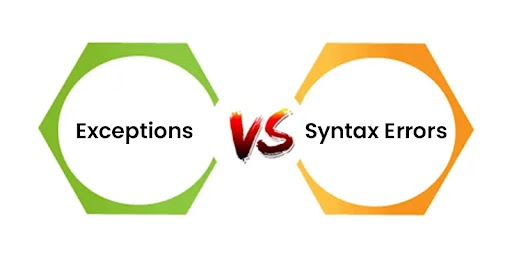
These two get confused often enough to be worth separating clearly. Exceptions happen while a program is already running, and they can be caught and handled gracefully, which is really what raising exceptions in Python code is about: responding to a problem while the program is still alive rather than after it has already crashed. Syntax errors happen before the program even starts, because Python could not parse the file in the first place. A missing colon or a mismatched bracket falls into this category, and no amount of error handling will catch it, because the code has to be fixed before it can run at all. An exception means Python understood the code perfectly and something still went wrong while it executed. A syntax error means Python never got that far.
Wrapping Up
The raise keyword is a small piece of syntax that does a lot of work. Used well, it turns “something is wrong” into a precise, catchable, debuggable signal instead of a mystery bug three layers down. Start with the built-in exception types, write messages that would actually help at two in the morning, reach for custom exception classes once a codebase is large enough to need them, and save assert for development rather than production validation. Once raising an exception in Python becomes second nature, error handling stops feeling like an afterthought and starts feeling like part of the design itself.
Take your backend skills further with our Full Stack Developer Training
Enrol Now
