
Learn to perform automation tests for the User Interfaces through our best course Coded UI Training in Bangalore and also learn to perform Functional Testing of the UI Controls in the Web, WPF, Silverlight, and Windows Form User Interfaces. Our Coded UI Course in Bangalore will help students to achieve professional expertise in performing automation tasks of the User Interfaces and also to become efficient automation testing engineers.
Our Students Success Stories
Career transformations made possible by FITA

After leaving a stressful job and facing income loss, life felt uncertain. He focused on gaining skills and secured a stable, promising career in IT.

Unsure about switching careers, he took the first step. With effort and guidance, he cleared his first interview and moved forward on a better path.

While others waited, she acted early. She completed a technical course alongside her degree and secured her future before stepping out of college.

Frustrated with a low salary and limited growth, he took control of his career. By mastering DevOps, he transformed challenges into a rewarding opportunity and built a brighter future.
Transform Your Career with Industry-Ready Skills from FITA
Get trained by experts, work on real-time projects, and secure high-paying job opportunities with dedicated placement support.
Why Learn at FITA Academy?
Empowering students across various fields, we help you enhance your skills and provide unlimited placement support until you land your dream job. Ready to learn and make an impact?
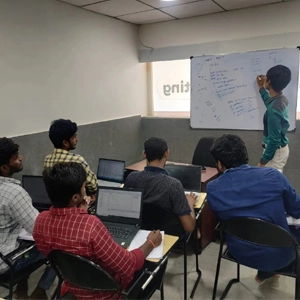 Live Classroom Sessions
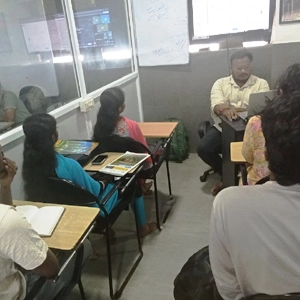 Hands-on Projects
 Free Placement Sessions
Free Interview Clearing Workshops
We help you prepare for job placement with mock interviews, aptitude practice, and HR round guidance, so you feel confident and job-ready.
100% FreeHands-on Capstone Projects
Work on real-world projects using live data and industry tools. By the end of the course, you’ll have a solid portfolio that you can confidently showcase to recruiters.
Portfolio ReadyReal-time Industry Experts as Trainers
Our trainers are working professionals with 8–15 years of experience. They focus on practical knowledge, not just theory, so you learn what’s actually used in the industry today.
Industry CertifiedFree Resume Preparation
Get help creating a strong, professional resume that highlights your skills the right way. We make sure it’s a clear, well-structured, and ATS-friendly resume.
ATS Optimised
Why Coded UI Training in Bangalore
at FITA Academy?
Learning the basics of the Coded UI Testing tool such as Visual Studio Interface Overview, C# basics, Coded UI Test Structure, Test File types, and File Relationships.
Learning to create coded UI tests, Record Test Steps, Recorder control, and Method Generation.
Performing Assertions using UI Locator, Selecting Objects with the UI Locator, Using Coded UI comparisons, and Manually Coding Assertions.
Understanding the UI MAP, Accessing the UI Map, understanding Control names, and Parent Windows and UI Map Maintenance.
Executing & Evaluating Results, Running Coded UI Tests, Evaluating Log files, Understanding Assertion Failures, and Collection files.
Debugging and Troubleshooting, Evaluating Asserion Statements, Storing results, Updating control Statements, and learning the debugging process.
Understanding Data-Driven Testing, Creating Data Sources and Data-driven tests and modifying Assertions with Data-driven Tests.
Capturing Dynamic Data from Objects, Creating Multiple UI Maps, Using Regular Expressions, Regular Expressions Operators, Regular Expressions for Data Capture, Performing Dynamic Object Handling.
Modifying Mapped Objects, Handling File Input and Output, Reading and Writing Data from files, Logging options, and Checking Database connectivity.
Executing Queries, Managing Playback Settings, Synchronizing Coded UI Tests, Mapping Automation Testings, etc.
Ready to start your dream career?
Join thousands of students who've already transformed their careers with FITA Academy.
Upcoming Batches
Can't find a suitable batch time?
We'll schedule a batch just for you — at your preferred time and pace.
- Get trained by Industry Experts via Classroom Training at any of the FITA Academy branches near you
- Why Wait? Jump Start your Career by taking the Coded UI Training in Bangalore!
- Take-up Instructor-led Live Online Training. Get the Recorded Videos of each session.
- Travelling is a Constraint? Jump Start your Career by taking the Coded UI Course Online!
Trainer Profile
- FITA Academy’s Coded UI trainers are professional industry experts having work experience of 10 years.
- They have broad working experience by working for both national as well as international clients.
- They have been a part of successful project completions in their field.
- They possess sound technical knowledge of the testing tool.
- They are dedicated to providing the best educational support for students to help them establish their careers.
Learn at FITA Academy & Get Your
Dream IT Job in 60 Days
Join 6,812 successful students who transformed their careers with our industry-expert training last year.

Key Features
FITA Academy empowers individuals with industry-relevant skills through expert-led training, transforming careers with hands-on experience.

Expert Trainers
Learn from industry professionals with hands-on experience.

Real-Time Projects
Gain practical exposure by working on live projects.

Certification
Get certified from FITA Academy and become job-ready.

Affordable Fees
High-quality courses available at a low budget.

Flexible Learning
Choose online/classroom, timings, and learning pace.

Placement Support
Access 3000+ companies for career opportunities.

Why Learn Coded UI Training in Bangalore
at FITA Academy?
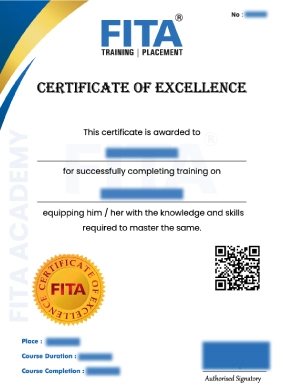
Coded UI Certification Course in Bangalore
The Coded UI Certification can be taken by candidates aspiring to be Automation Experts, Business Managers, Manual Testers, and Web Developers. Possessing a good knowledge of Programming and its Basics is necessary to fully understand and being efficient in this tool. Enrolling in the Coded UI Certification has its own benefits. The major benefit is the career opportunities the tool provides for its aspirants. Since most software companies prefer automation testing for testing their software products, automation tools have become in-demand tools and have gained popularity in the testing domain. One among them is the Coded UI Testing tool which has become prominent for its usability, reliability, and efficiency. Students will be learning the fundamentals and core skills related to the Coded UI Testing tool. Some of the course highlights that students will be learning at our Academy are Test Automation Basic Concepts, Managing Automation Projects, Building Test Automation Suits in Visual Studio, Understanding End to end Frameworks, Test Automation and its Significance, Adding Assertion to the list, Data-Driven Testing, Debugging and Troubleshooting, Test Executing and Evaluating Results, Dynamic Data from Objects. Enroll in the Coded UI Training in Bangalore at FITA Academy and rightfully earn your certification by successfully completing your training.
Have Queries?
Talk to our Career Counselor for more Guidance on picking the right Career for you!
Placement Session & Job Opportunities
After completing Coded UI Training in Bangalore


Let’s learn the reasons why Coded UI is one of the best tools in the field for performing Automation Testing. First, it allows both the Developers and Software Testing Engineers to work/collaborate effectively using a known/unanimous programming language. It provides its support for testing both web Applications as well as Windows Applications. The tool can perform a mechanism called Element Identification Mechanism which is seen as a great feature of the Testing tool. It has a Playback Engine that supports commands like ‘WaitForControlExist’ and ‘WaitForReadyLevel’, etc. Second, it possesses ‘TestAgents’ which assists Testing Engineers to run Automation testing even on remote machines. It helps automation teams to develop sophisticated test cases with a layered framework. Third, the tool also supports “Descriptive Programming” which allows Testing Engineers to automate scenarios based on object properties. The tool allows to development of extensive test suites and also performs testing in local environments. Using Log4net.dll, Testing Engineers can even log the results and capture exceptions in an effective manner.
Finally, the tool also extends its support to perform AJAX controls The benefits are many. By enrolling in the Coded UI Training in Bangalore, students can extensively learn about the Testing tool.
To talk about the job roles that are associated with the Testing tool are as follows.
- Software Technologist
- Microsoft Coded UI Test Application Designer
- UI Technical Specialist
- Automation QA Engineers
- Quality Analyst
- Software Test Engineer
- QA Automation Specialist
Join our FITA Academy’s Coded UI Course in Bangalore to get efficiently trained by learning the industry practices and methods.
Shreya Tharan
Attending the Coded UI Training in Bangalore at FITA Academy has opened a new opportunity for me. I have been selected as the automation testing engineer in a software company for a good package. Thanks to FITA Academy for assisting us in career placement and guiding us to better career opportunities.
Nithya Karthick
I learned the Coded UI Course in Bangalore at FITA Academy. It is the right course for beginners to learn the testing tool of its basics and latest developments. Freshers can very well get benefited from the training program. It is worth attending for our career establishment. Thank you FITA Academy for the career guidance and placement guidance support.
Prasanna S
FITA Academy’s Coded UI Training in Bangalore was precise and beneficial. It is a must-attend program for everyone who wants to learn the UI Automation tool. I enjoyed learning the course as well as found the training program valuable as it has helped me to land my dream job. Thanks to my trainer and to FITA Academy for helping me realize my career dream of becoming an Automation Test Engineer.
Harish K
I gained good experience learning at FITA Academy for the Coded UI Course in Bangalore. The faculty was amazing at her teaching. She taught all the concepts neatly and was very professional in delivering the important concepts. Appreciate FITA Academy and the trainers’ efforts in helping students to have an endeavoring career.
Our Students Work at

Frequently Asked Questions about
Coded UI Training in Bangalore
- To get trained by the best industry experts.
- To have efficient knowledge both theoretically and practically.
- To validate your test automation skills.
- To multiply your chances of getting hired by the top software companies.
- To get continuous placement support from our Academy.
What is Coded UI?
Coded UI is an Automation tool to perform User Interface testing for Software Applications. The tool is also designed to perform the Functional Testing of UI Controls. It can also perform the testing of an entire application and can even automate the manual test scripts.
Features of Coded UI Testing tool
- Functional Testing
- Generate Code in Visual Basic/C#
- Can be integrated with ALM Story
- Rich Extensibility
- Recording and Resilient Playback
Join FITA Academy’s Coded UI Training in Bangalore to become proficient and competent in your domain.
Coded UI Test Supported Technologies
As we saw before, Coded UI supports the testing of the UI that is, the User Interface of the Software applications. These applications can be either Windows-based or Web-based applications.
With that, let’s see the technologies supported by the Coded UI Test Automation tool.
- Window Desktop Applications.
- Web Services – SoapUI and ASPX, etc.
- Windows Mobile Applications.
- Window Presentation Foundation
- Web Applications – HTML, HTML5 and Silverlight.
How to develop Coded UI Test Scripts?
The following steps are performed to create Coded UI Test Cases.
- Developing codes from Existing Action Recording ie Converting the Manual Test Recording
- Developing new Coded UI Tests from scratch
- Writing Automation codes from scratch
How to perform Coded UI Test?
We can perform the Coded UI Test in two different ways.
- Coded UI Record and Playback
- Coded UI Hand Coding
FITA Academy’s Coded UI Course in Bangalore will provide a major learning experience for automation testing aspirants. Join FITA Academy to enjoy learning your course.
To perform the Coded UI Testing we have to follow the following steps.
- Create a Coded UI Test Program
- Add a Coded UI Test File
- Record a sequence of actions
- Verify the values in the UI fields
- View the generated test-script codes
- Add more actions and Assertions in the UI fields
- Edit the details of the test activities and assertions
- Run the test
Best Practices for writing the Coded UI Test Scripts (CUIT)
- Frequently use the Coded UI Automation Test Builder.
- Use the UIMap.designer.Cs file as it is. Don’t try to modify the file because the changes made to the file will be over-written.
- Develop your tests as a sequence of recorded methods.
- Each recorded method should perform on a single page, form, or dialog box.
- When creating a method, name it with a meaningful name instead of a default name. A meaningful name helps to identify the purpose of the method.
- Restrict each recorded method to less than 10 actions. This approach will make the process easier to replace a method if the UI changes.
- To create UI assertion, Coded UI Test-Builder can be used. Using Coded UI Test Builder automatically adds an assertion method to the UIMap.Designer.cs.file.
- If the User Interfaces either change or re-records the affected sections of an existing test method, then re-record the test methods.
- Coding using the AP by using the methods and properties in the classes created in the UIMap.Designer.cs.file will make our work more reliable and productive.
Contents of the Coded UI Test
- UIMap.Designer.cs – This file has the code view of the UIMap. This file is generated when the Testing Engineer records the UI interaction or when some objects are manually added to the UIMap.
- UIMap.cs – Any modification or customization to the UIMap is stored in UImap.cs. Initially, this file will be blank and will be populated later on. If the changes are directly made to the UIMap.Designer.cs.file, ensure it is not recorded otherwise all changes will be lost.
- CodeUITest1.cs – This file possesses Coded UI Test Class, Test Methods, Assertion Invocation, and Method Invocation. All methods and assertions are by default invoked from this file.
- UIMap.uitest – This file is an XML representation of the UIMap Class. This file has windows, controls, properties, methods, actions, and assertions. It is edited only through the UIMap editor.
These are the basics of the Coded UI Test Automation tool. To learn the tool comprehensively, students can enroll in FITA Academy which is the Best Coded UI Training Institute in Bangalore.
